Full Program – Adults
One day a week. For a year.
Full Program
This a full, one year, audio production and engineering diploma program for anyone 19 or over, running throughout the school year from September to June.
You don’t have to take a year off to get the same benefits of a full time post secondary program!
It can be tricky to take a full year off from your life. Primalux Institute is reflective of today’s world. We offer a structure similar to music instrument lessons. One hour / week with “practice” time completed at your convenience. Weekly web based assignments help take advantage of online learning while keeping costs down.
Classes are 1 hr long, 1 class per week, for 10 months, taught in groups of 1 to 4.
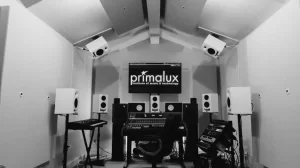
Lab time in “The Library” is included in the fee. In addition, students who complete the program will qualify for perpetual discounted studio rates!
Successful completion of the ten month program results in a certificate and a listening party recital in a local venue.